I Built a Desktop App That Reads Health Plan Documents and Finds Your Best Internal Match
How a workflow I watched benefits consultants repeat manually — every single time — turned into Plan Sponsor Intake: a desktop app that extracts 25+ benefit fields from any plan document and matches it against your internal portfolio in under 30 seconds.
There's a workflow I've watched benefits consultants and HR benefits teams repeat more times than I can count. A competitor plan document lands in your inbox — PDF, Word doc, sometimes a scan of a scan. You open it. You start pulling out numbers: deductibles, copays, Rx tiers, OOP maximums. You write them down somewhere. Then you flip through your internal portfolio trying to remember which of your plans this most closely resembles. You do this by feel. You do this manually. You do this every single time. I built something to change that.
The Gap
There are enterprise tools that handle benefits data at scale — plan management platforms, carrier portals, HR information systems. They're powerful. They're also expensive, require integration work, and aren't built for the moment when you just need to quickly analyze a competitor document that landed in your inbox. The gap isn't between enterprise and free. The gap is between existing tools and something fast, private, and local that any benefits consultant, plan sponsor, or HR benefits team can run without IT involvement.
What Plan Sponsor Intake Does
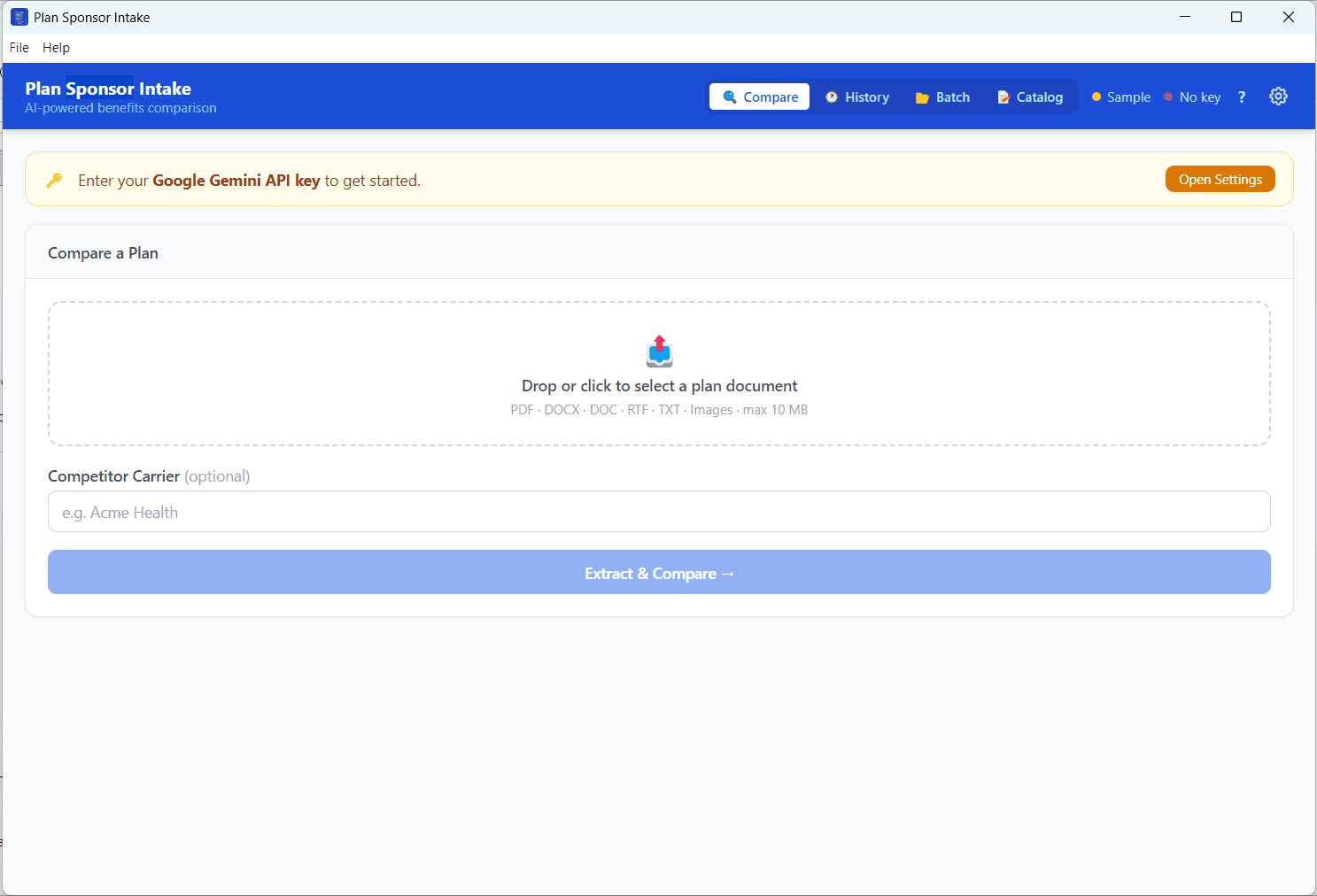
Drop any competitor health plan document into the app. It sends it to AI, which reads and extracts 25+ structured benefit fields:
- Deductibles (individual and family)
- Out-of-pocket maximums
- PCP, specialist, urgent care, and ER copays
- All four Rx tiers
- HSA eligibility
- Dental, vision, mental health, telehealth
- Lab tests, imaging, physical therapy, hospital stays, maternity
Then It Matches
Once extracted, the app compares those fields against your internal plan catalog and returns the top 3 closest matches — with confidence scores and a plain-English explanation of why each one matched. The whole thing takes under 30 seconds.
How It Works
Your document goes directly to the AI provider you configure — currently powered by Google Gemini, with support for other popular LLMs like OpenAI, Claude, and Ollama planned for the public release. Nothing passes through any third-party server. The AI extracts structured data and scores it against your catalog. Your API key, your catalog, and your results all stay on your machine. It runs as a standalone Windows installer. No setup, no admin rights required. Install it on a sandboxed enterprise machine and it just works.
What's in v1.2.0
This is the version I'm writing about today. It's a meaningful jump from where the app started:
- Comparison History — last 20 sessions saved locally, one click to restore
- Batch Mode — drop in multiple plan documents and process them all at once
- Side-by-Side View — see your extracted plan and your matched internal plan field by field, with matching rows highlighted
- PDF Export — download a formatted comparison report you can actually send to someone
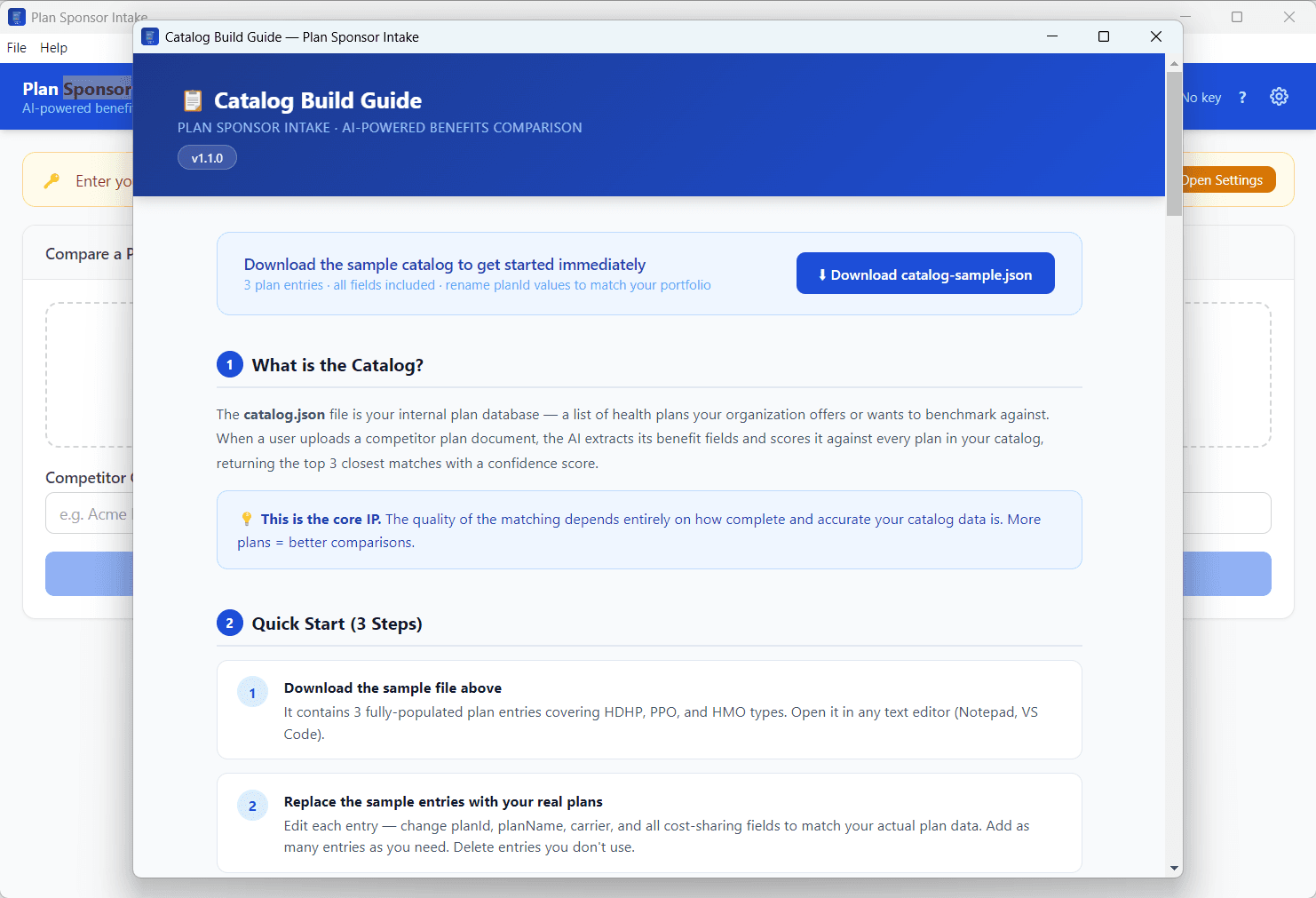
- Built-in Catalog Editor — manage your internal plan catalog directly in the app
- Score Weighting — adjust how much deductibles vs. copays vs. metal tier influence the match score
- Offline Cache — the last session is offered for restore the next time you open the app
- .doc Support — yes, even legacy Word files
Why Desktop, Not Web
The documents this tool processes are sensitive. Benefits data, carrier information, internal plan structures — none of that should be sitting on a web server somewhere. A desktop app that calls only the AI API you configure yourself is the right architecture for this use case. It also means it works in the kinds of environments where benefits professionals actually operate — locked-down machines, no admin rights, corporate firewalls, and all. That said, a fair concern with any AI-assisted document tool is: what exactly gets sent to the model? It's a legitimate question, especially in organizations with strict data governance around PII and PHI. The roadmap includes an MCP server gateway mode — where instead of sending documents directly to an LLM, a local server layer sits in between. That layer inspects and filters the content first, strips or masks any sensitive fields, and only passes curated, sanitized context to the model. The organization controls the rules. Nothing leaves the boundary that isn't supposed to. That's the architecture that makes this viable inside a corporate compliance environment — not just for benefits teams, but for any enterprise use case where the data has regulatory weight.
Takeaway
Benefits comparison is a solved problem at enterprise scale. It's completely unsolved for the consultant with a PDF and a deadline. This is for them. This is an internal tool for now, not open source. But if you work in benefits consulting, plan sponsorship, or HR benefits management and this sounds useful — reach out. I'd love to know how it holds up in real workflows.