I Built My Own File Comparison Tool — And Released It for Free
How an obsession with diff tools, a gap in the market nobody had bothered to close, and a weekend of Electron + React turned into DiffForge — a free, modern desktop comparison app.
There's a category of software I've been borderline obsessed with for years: file and folder comparison tools. I know — not the most glamorous obsession. But if you've ever spent twenty minutes hunting for the one line that changed between two config files, or tried to manually reconcile two project folders that both claim to be 'the latest version,' you understand the pain. And once you've found the right tool for this, you understand the relief. I've been chasing that relief for a long time. It eventually led me to build my own.
The Comparison Tool Rabbit Hole
My relationship with diff tools started during data work — comparing dataset exports, tracking schema changes, reconciling outputs from different systems. The built-in OS file comparison was laughable. The professional paid tools were genuinely excellent — fast, intelligent, with beautiful folder tree views and three-way merge support. I used them heavily and I don't regret a single dollar spent on them. But paid tools create licensing friction. Not impossible friction, but friction. Onboarding a new team member means another license conversation. Setting up a shared workstation means another activation. Spinning up a comparison in a client environment means explaining why you need to install something first. I kept asking: why isn't there a really good free alternative?
Free Tools Exist. They Just Feel Like 2005.
Let me be honest about something most articles in this space aren't: free GUI diff tools do exist. WinMerge, Meld, KDiff3, DiffMerge — they've been around for years and millions of people use them. They are real tools built by real people and I mean no disrespect to them. But if you've used any of them recently, you know what I mean when I say they feel like opening a time capsule. Windows-only constraints. Installation processes that feel like archaeology. Interfaces that haven't been touched since a decade before dark mode became the default. The gap isn't between paid and free. The gap is between paid and modern. Nobody had built a free comparison tool that felt like software made in this decade — something you could hand to a non-developer colleague and they'd know what to do without a tutorial.
Why Comparison Is a Core Thinking Tool
Before I get into how I built DiffForge, I want to make the case that file comparison isn't just a developer utility. It's a thinking tool — and one that shows up constantly once you start looking for it.
- Comparing two versions of a document before sending it out — catching the accidental deletion, the changed number, the paragraph that moved
- Reconciling data exports from two different systems that should match but don't quite
- Checking what actually changed between 'the old config' and 'the new one' when something breaks in production
- Reviewing what files a build process or deployment actually touched vs what it was supposed to
- Spot-checking folder syncs — did everything copy? Did anything get dropped or overwritten?
Building DiffForge — The Tech Stack Decision
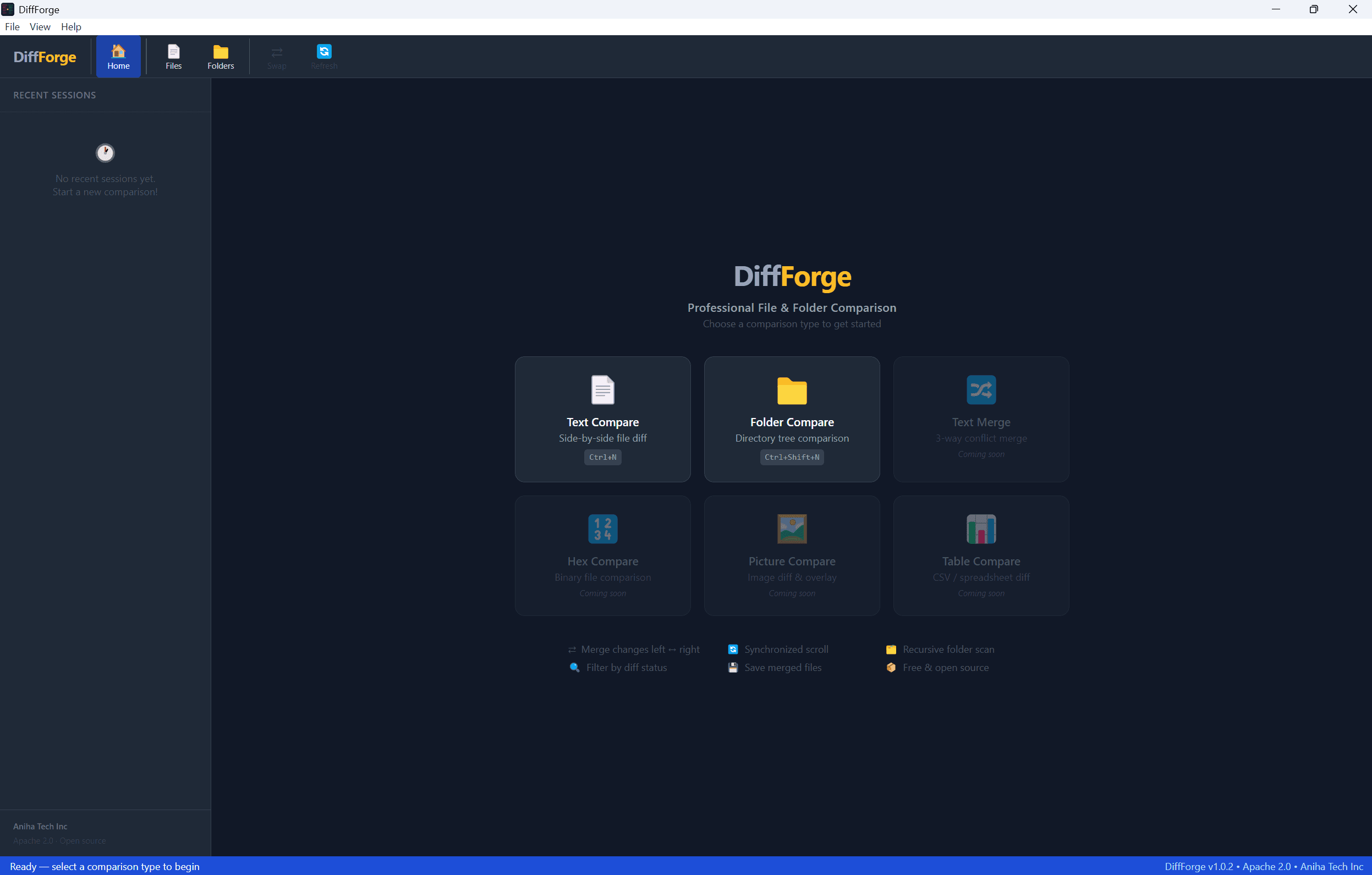
When I decided to build this, the tech stack was a clear choice. Electron for cross-platform desktop with direct filesystem access and no browser dependency. React and TypeScript for a component-based UI with full type safety — I've been burned by large untyped JS codebases too many times. Tailwind CSS for fast, consistent dark-theme styling without fighting CSS specificity. electron-vite for rapid iteration with hot module reload. The design philosophy was equally deliberate: do a few things exceptionally well rather than many things adequately. No plugin system. No scripting engine. No cloud sync. Just: load two things, show me what's different, get out of the way.
- File comparison — side-by-side diff with line-level highlighting (added, removed, changed, same) with no configuration required
- Folder comparison — recursive tree view categorizing files as Diffs, Left Only, Right Only, or Same — filterable with one click
- Built-in folder browser — a native-feel tree browser with Quick Access sidebar (Desktop, Downloads, OneDrive, etc.) so you never need to break flow with an OS dialog
- Compare To — lock one side and compare it against multiple targets, a pattern I use constantly when reviewing changes across environments
- Multi-tab interface — because one comparison is never enough
DiffForge Community Edition — Free to Download
DiffForge Community Edition v1.0.2 is free for personal and commercial use, no subscription, no account required, runs 100% offline. The Windows installer is available now. macOS is coming shortly. DiffForge is open source under the Apache 2.0 license — the source code is publicly available on GitHub. Free to use, free to inspect, free to build on.
What's New in v1.0.2
Since the initial release, DiffForge has shipped several features that were originally on the roadmap:
- Inline editing — edit either file directly in the diff view; full undo/redo, cut/copy/paste, and save without leaving the app
- Edit in DiffForge — right-click any file in a folder comparison and open it as a standalone text editor tab
- Right-click context menus in folder compare — 12+ actions including Copy to other side, Move to Recycle Bin, Compare To, Open with Associated Application, and more
- Multi-tab interface — open multiple file and folder comparisons simultaneously, each in its own tab
What's Coming Next
DiffForge v1.0.2 is a solid foundation. The road ahead:
- Syntax highlighting in file comparison — language-aware coloring so diffs in code files are easier to read
- Three-way merge support — compare a base, left, and right simultaneously
- macOS build with proper code signing — removing the 'unidentified developer' friction
- DiffForge Pro — an enhanced edition for teams, with additional features for professional workflows
Takeaway
The best tools are the ones that disappear. You stop thinking about the tool and start thinking about the work. That's what I'm building toward with DiffForge — something fast enough, clean enough, and obvious enough that it never slows you down. If you try it, I'd genuinely love to hear what you think. Open an issue, send a note, or just tell me what's missing. That's exactly the signal that shapes what gets built next.